¶ Access
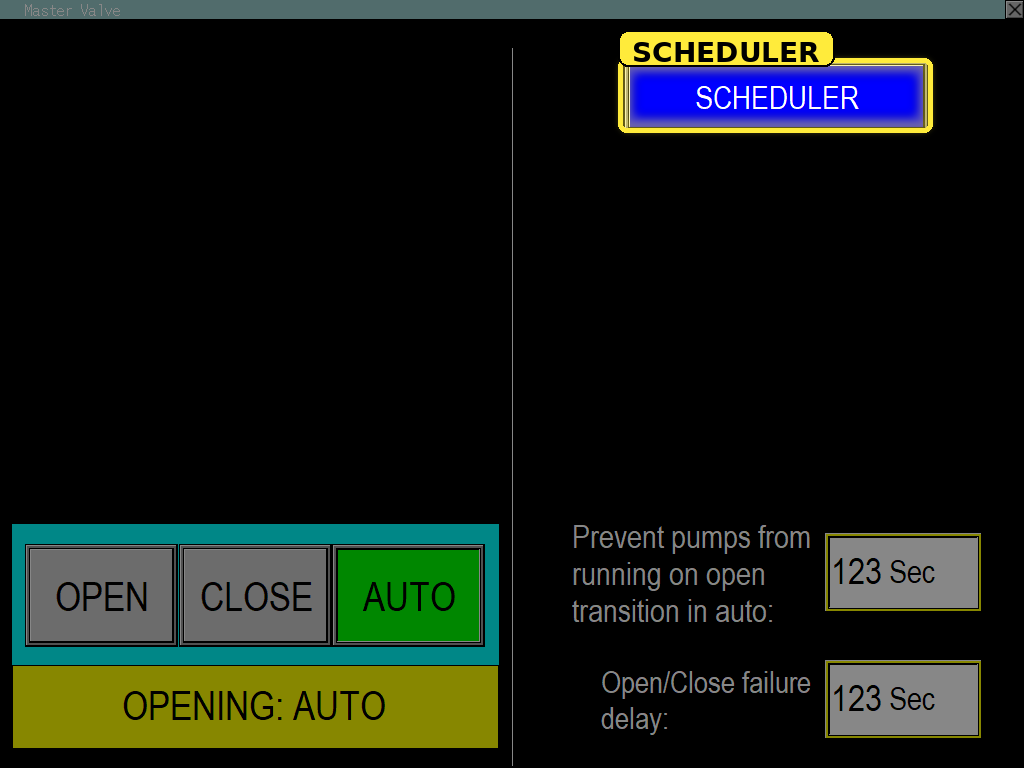
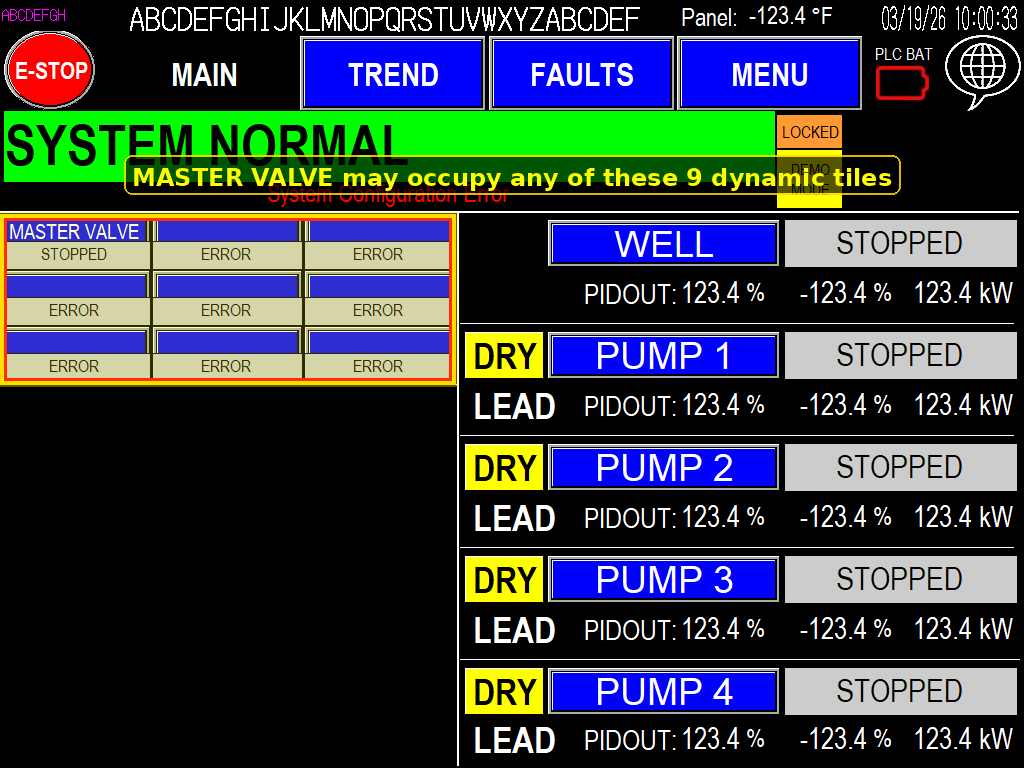
(Image 1.1) From the Main screen, press the MASTER VALVE tile to open the settings page.
¶ Operator and Status
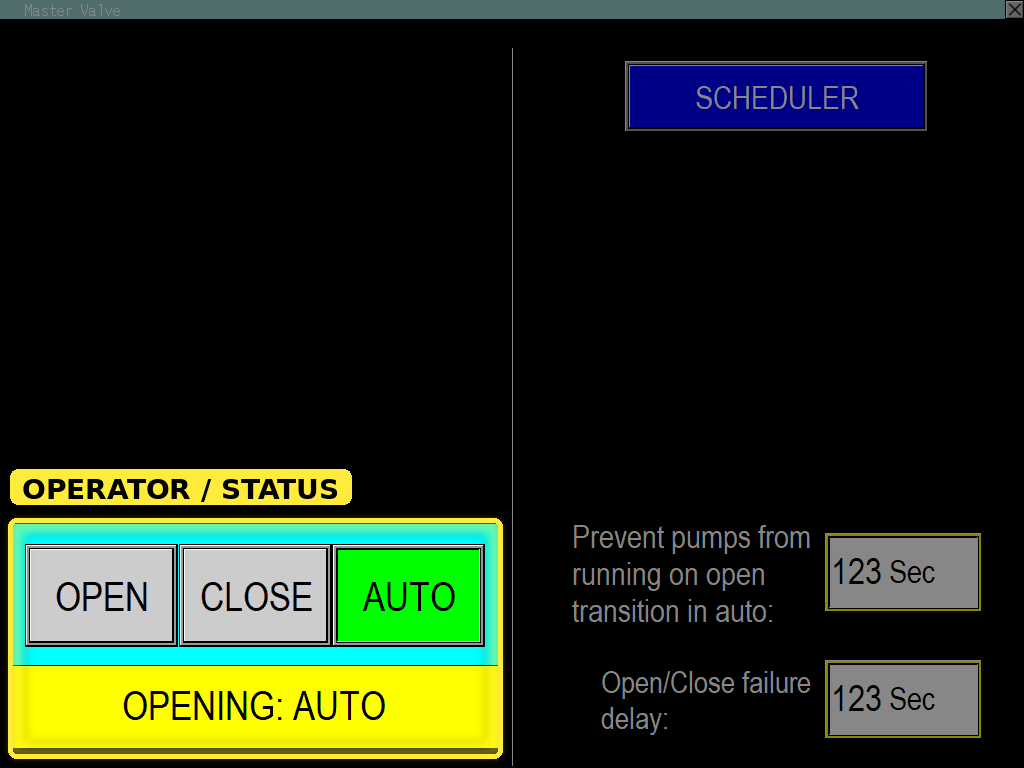
¶ Operator
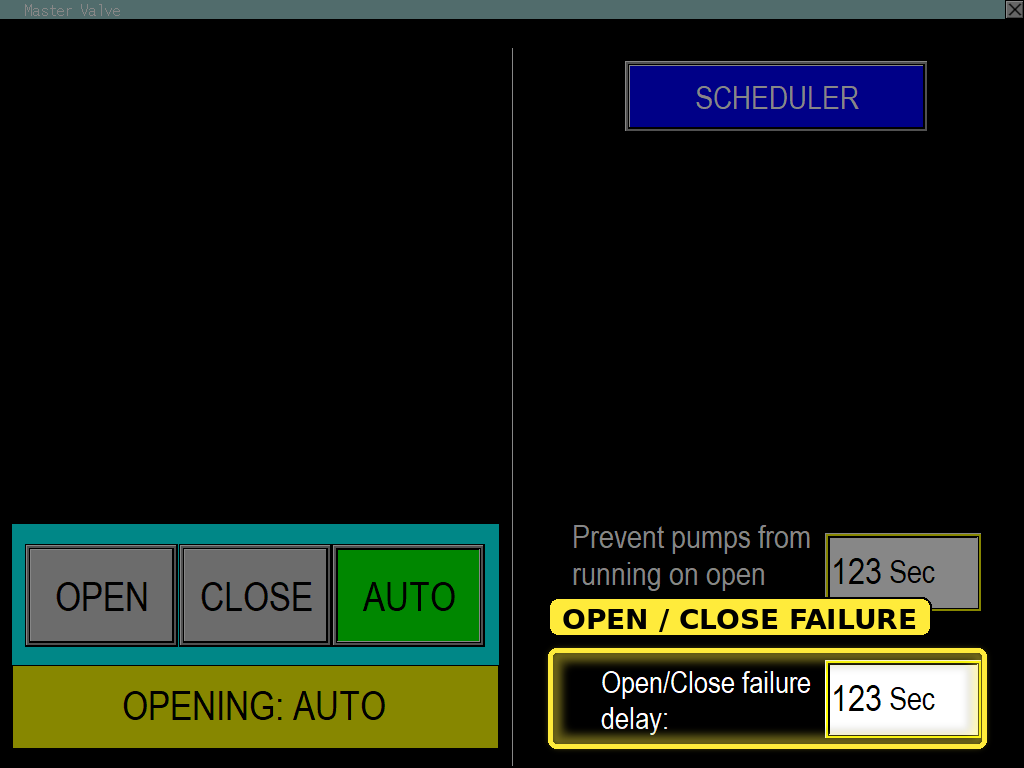
AUTO - the valve will stay open except when the following are true.
- high system flow fault
- low discharge psi fault
- master valve is not scheduled, and enabled on one of the schedules.
- emergency stop physical or virtual pressed.
- rain switch lockout true
OPEN - opens unless emergency stop physical or virtual is pressed
CLOSE - stays closed unconditionally
¶ Prevent Pump Wake Delay
Version – 01.27.00 and later
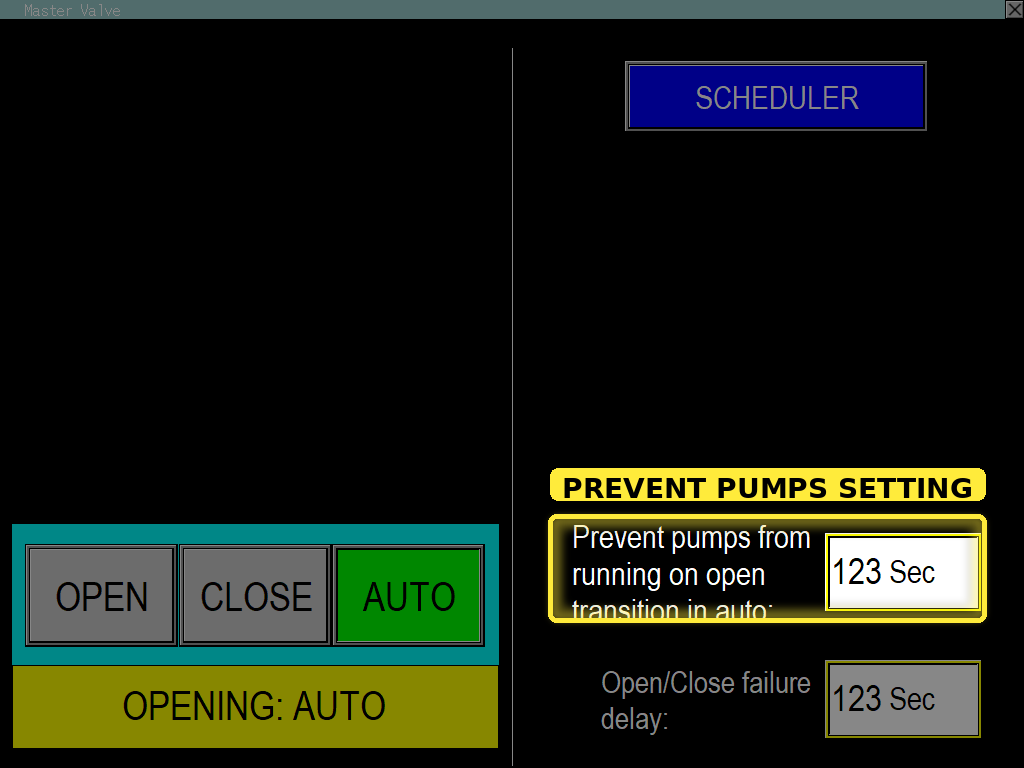
Purpose – Allows system water pressure to equalize before the pumps are permitted to wake.
Operation – When a non-zero value is configured and the master valve is in Auto mode, opening the master valve delays the wake-up of the jockey, middle/intermediate, and Main 1–4 pumps until the configured delay period has expired. When set to zero, this setting is disabled.
¶ Open/Close Failure Delay
Version – 01.00.00 and later
Purpose – Generates an alarm if the valve open or close feedback does not actuate within the expected time period.
Operation – This setting is available when Master Valve open and close feedback are configured. Set the delay slightly longer than the expected valve travel time to help prevent false alarms. If the feedback does not actuate within the configured time, an alarm is generated. The date and time of the alarm can be viewed in the alarm log on the FAULTS screen. The alarm automatically clears once the feedback is restored.
¶ Scheduler
Version – 01.00.00 and later
Purpose – Allows the master valve to be restricted to open in AUTO only on specified days and at specified times.
Operation – Refer to the Scheduler page for configuration and operation details.